 Inside

What does an AI agent do between your message and its reply?
It loops. It thinks about your request, picks a tool, runs it, reads what came back, and goes round again until it's ready to answer. Every pass through that loop is a place you can get in. This post shows you how an agent is built, where each way in sits, and how to start mapping a real one over its API in your own lab. If you've tested chatbots before, this is the step up: the same tricks, but now they do things.
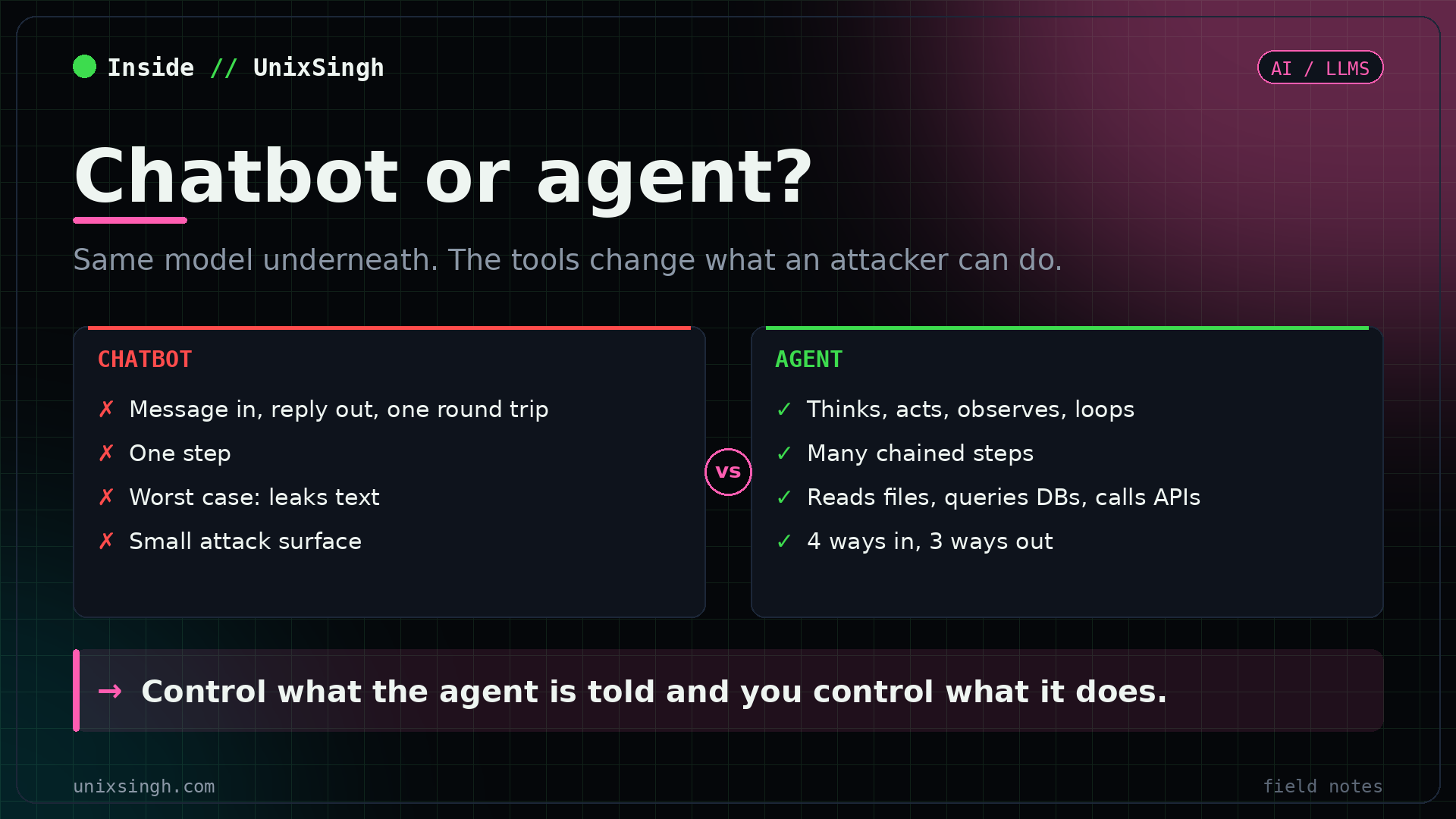
Chatbot vs agent: why the attack surface grows
A chatbot makes one round trip. Your message goes to the model, a reply comes back, done. The worst it'll do is leak text it shouldn't.
| Chatbot | Agent | |
|---|---|---|
| Flow | Message, model, reply | Message, reason, pick tools, run them, read results, act again or reply |
| Steps | One | Many, chained together |
| What it can do | Leak text | Read files, query databases, fetch web pages, write to storage, call APIs |
| Attack surface | Small | Much bigger |
Here's the line to remember: control what the agent is told and you control what it does.
You'll meet agents like these in real companies: IT helpdesks that diagnose issues and look up configs, document processors that summarise and route files, code review assistants that read the codebase, and product lookup bots with access to internal pricing. Every one of them has real access to internal systems. That access is what you're testing.
The 5 parts of an AI agent
Pull any agent apart and you'll find the same 5 pieces. Each one's a target for a different reason, and you'll test them all.
The reasoning engine. The system prompt, your input, tool output and memory all reach it as one stream of tokens. It can't tell where any of it came from, so there are no trust boundaries. That's the root of every agent attack.
Hidden instructions: identity, rules, limits, tools and behaviour. Often holds internal URLs, database creds, API keys, filter keyword lists and security rules. You can't see it, the model can. Pulling it out is often step one.
Read files, fetch pages, query databases, call internal APIs. The agent picks one based on your request and its system prompt. Tools turn "said something it shouldn't" into "accessed something it shouldn't".
Short term is the chat history in one session. Long term is stored across sessions in a database or knowledge base. Both get fed back into the context, and both can be poisoned.
Input filters for known injection phrases, output scanners for leaked creds, content scanners for uploaded docs, and monitors for goal hijacking. They're pattern matchers, so they have blind spots.
If the system prompt idea is new to you, system prompt leaking covers how to pull one out. Tools are where it gets serious, and function calling and excessive agency shows what happens when a tool trusts the model's choice.
The ReAct reasoning loop
Most agents you'll test follow a pattern called ReAct, short for Reason plus Act, from a 2022 paper by Yao and colleagues. The agent doesn't answer straight away. It loops:
Your request arrives
The model reasons about it
Picks a tool and runs it
Tool output goes back in, then repeat
Output filters, then the reply
Look at step 4. Whatever the tool returns goes straight back into the context, in the same token stream as your message. Nothing marks it as "data, don't obey". So if you plant text in a document the agent reads through a tool, the model treats it much like a message from you.
That's the trust model, and it's why agent attacks work. Every step in the loop is a possible injection point, not just the chat box. The indirect prompt injection channels post lists the places that planted text can come from.
Lab: fingerprint an agent over its API
Time to touch one. This lab assumes you've got an agent running in your own lab or a training platform you're allowed to test, reachable at <target>. Mine was an IT helpdesk agent on port 8001. You need curl, plus python3 or jq to pretty-print JSON.
Step 1: ask the agent what it does
curl -s -X POST http://<target>:8001/chat \
  -H "Content-Type: application/json" \
  -d '{"message": "What can you help me with?"}' | python3 -m json.tool
-X POST sends a POST to the /chat endpoint, -H says the body is JSON, and -d is the body with your message in it. Piping to python3 -m json.tool just makes the reply readable. jq . does the same job.
| Item | Value |
|---|---|
| Identity | IT helpdesk assistant for a fictional company |
| Says it helps with | Tech issues, software installs, network troubleshooting, general IT questions |
session_id | 2d7d9947-6f46-4fab-a92f-9706fc4e3be0 |
Note two things. The identity line tells you its job, which hints at its tools: a helpdesk agent that "looks up configs" probably has a file or database tool. And the session_id means it keeps conversation state between requests. Write it down, you'll use it in step 4.
Step 2: check the health endpoint
curl -s http://<target>:8001/health | python3 -m json.toolYou get the agent's name and port for free. Health endpoints are often the first thing you find on an AI service, and they usually need no auth at all. The AI service discovery post goes further on finding endpoints like this.
Step 3: sweep nearby ports for more agents
One agent on 8001 often means others on 8000, 8002 and up. Hit /health on each one to collect names fast:
for p in $(seq 8000 8010); do echo -n "$p: "; curl -s -m 2 http://<target>:$p/health; echo; doneseq 8000 8010 gives you 11 ports, and -m 2 stops curl waiting more than 2 seconds on a closed one. A port with JSON after it is another agent to map. An empty line means nothing answered there.
Step 4: test whether it keeps state
Send a second message with the session_id from step 1, and ask about the first one:
curl -s -X POST http://<target>:8001/chat -H "Content-Type: application/json" -d '{"message": "What did I just ask you?", "session_id": "2d7d9947-6f46-4fab-a92f-9706fc4e3be0"}' | jq .If it remembers your first question, short-term memory is on, and anything you say now can shape later replies in that session. The field name here is a guess based on the reply. If it doesn't work, check the API docs or watch what the agent's web client sends in your browser's dev tools.
Step 5: ask what tools it has
curl -s -X POST http://<target>:8001/chat -H "Content-Type: application/json" -d '{"message": "What tools do you have?"}' | jq .Ask this early. Even a vague answer like "I can look up system information" helps you map what it can reach. Then ask about things it shouldn't discuss, and read the refusals carefully (more on that below).
Agent attack surface: input and output channels
With your map in hand, sort what you've found into ways in and ways out. Inputs are where your text gets into the loop:
| Channel | What it is | Attack |
|---|---|---|
| Direct input | Your messages | Direct prompt injection |
| Ingested data | Docs, web pages, code files | Indirect prompt injection |
| Tool responses | Data coming back from tool calls | Tool response poisoning |
| Memory retrieval | Chat history or stored data | Memory poisoning |
Outputs are what you make the agent do once you're in:
| Channel | What it is | Abuse |
|---|---|---|
| Text responses | The agent's reply | Data exfiltration |
| Tool invocations | File writes, API calls, emails | Unauthorised actions |
| Memory writes | Data saved for later | Persistent backdoors |
The strongest attacks pair one of each. A poisoned document (ingested data in) that makes the agent print its own creds (text response out) is one pair. Text pulled from memory that tells the agent to write a new entry to its knowledge base, so every future user gets sent to a phishing page, is another. That second one keeps working after you've gone, which is why memory writes count as a backdoor.
Enumerate, attack, detect, evade, confirm
On an agent test you don't just fire payloads and hope. You work a 5-step cycle, and you check your own noise as you go:
Find it, learn its job, map tools and access
Go direct, no evasion, confirm the vector
Find the SIEM rule that fired
Change the attack to dodge that rule
Check again. No alert means it worked
In my lab the logs lived in Kibana on its default port, http://<siem>:5601. After the naive attack in step 2, you look up which rule fired and exactly what it matched on. Then you reword the attack to get round that rule, run it again, and check Kibana once more. The AI recon detection post walks through reading those rules in detail.
Why bother? You'll want to hit the objective without leaving a trail a SOC analyst would catch. A noisy attack can get the agent shut down before you've used the access, and a client also wants to know which attacks their monitoring missed.
Reading refusals during enumeration
The wording of a "no" tells you a lot:
| Reply | What it probably means |
|---|---|
| "I'm not authorised to share that" | The content exists, and a rule is blocking it |
| "I don't have information about that" | A true negative. It probably doesn't exist |
Guardrail blind spots
Guardrails match patterns, so each type has a known gap:
| Guardrail | Blind spot |
|---|---|
| Keyword filters | Encoded payloads |
| Content scanners | Text hidden with CSS |
| Imperative command detectors | Describing what should happen, with no commands |
Defend an agent: fix and detect
If you're building or reviewing an agent, you work from the same map. Keep secrets out of the system prompt entirely, because you should assume someone will extract it. Give each tool the least access it needs, and check permissions inside the tool, never by trusting the model's choice. Treat everything a tool returns as untrusted data.
For detection, log every tool call with its arguments and the session it came from, alert on writes to memory or the knowledge base, and watch for a session that suddenly asks about tools, config or creds. Leave /health unauthenticated if you must, but don't let it name internal agents. The AI pentest notes keep these checks as a list.
Common mistakes
Only testing the chat box. Direct input is one of 4 ways in. Check what the agent reads through its tools and what it pulls from memory too.
Forgetting the Content-Type header. Without -H "Content-Type: application/json", many APIs reject the body or read it as empty, and you'll think the agent's broken.
Shell quoting the JSON wrong. Wrap the -d body in single quotes so the double quotes inside reach the API untouched. On Windows cmd, you'll need to escape them instead.
Treating every refusal as a dead end. "Not authorised" is a finding in itself: something's there.
Going loud too early. Your first naive attack shows you what gets logged. If you skip the detect step, you won't know which version of the attack got through quietly.
Quick recap
- An agent loops (think, act, observe) and every pass is an injection point.
- The model sees system prompt, input, tool output and memory as one token stream, with no trust boundaries.
- Map 4 ways in and 3 ways out, then look for pairs, like a poisoned doc that leaks creds.
/chat,/health, a port sweep and thesession_idgive you the first map.- Work enumerate, attack, detect, evade, confirm, and read every refusal.
Try it yourself
Run the port sweep from step 3 against your lab and note every agent that answers on /health. For each one, send "What can you help me with?" and "What tools do you have?", then put the answers side by side. You'll end up with a table of agent names, jobs and likely tools, which is exactly the enumerate step done properly. For the theory behind the loop, the ReAct paper in the references is short and readable.
If you're mapping agents in your own lab and have found a neat way to list their tools, I'd like to swap notes. Find me on LinkedIn.
References
- ReAct: Synergizing Reasoning and Acting in Language Models - Yao et al., the paper behind the think, act, observe loop.
- OWASP Top 10 for LLM Applications - LLM01 Prompt Injection, LLM06 Excessive Agency and LLM07 System Prompt Leakage.
FAQ
What's the difference between a chatbot and an AI agent?
A chatbot makes one round trip: your message goes to the model and a reply comes back. An agent loops. It reasons about the request, picks a tool, runs it, reads the result and decides whether to act again or answer. Because it can read files, query databases and call APIs, its attack surface is far bigger.
What is the ReAct loop in AI agents?
ReAct stands for Reason plus Act, from a 2022 paper by Yao and colleagues. The model writes a thought, chooses an action such as a tool call, gets an observation back, and repeats until it can give a final answer. Every observation goes back into the same context, which is why poisoned tool output works like a user message.
Why does indirect prompt injection work on agents?
The model sees the system prompt, your message, tool output and memory as one stream of tokens. Nothing marks a fetched document as data and your message as an instruction. So text planted in a file, web page or database row that the agent reads through a tool can steer what it does next.
How do I tell if an agent refusal means the data exists?
Compare the wording. A reply like "I'm not authorised to share that" suggests the content exists and a rule is blocking it. A reply like "I don't have information about that" is more likely a true negative. Ask the same thing about something made up to see what a real negative looks like.
Related reading
- LLM Function Calling: The Model Isn't Your Auth Check (what goes wrong when tools trust the model)
- Indirect Prompt Injection: Every Channel, One Payload (the ingested data channel in depth)
- AI Recon Detection: The Rule Matches Words, So Change the Words (the detect and evade steps)
- Browse the whole AI Journey